Services
Scripted access
Accessing tables using TAP services
Topcat
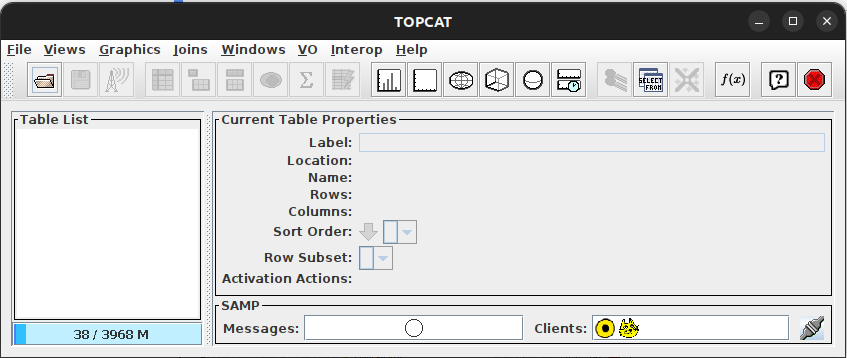
First of all, you should have installed TopCat. Access TopCat’s project page https://www.star.bris.ac.uk/~mbt/topcat/ and follow instructions there for further information about how to install in your OS. Figure below shows the initial page of TopCat
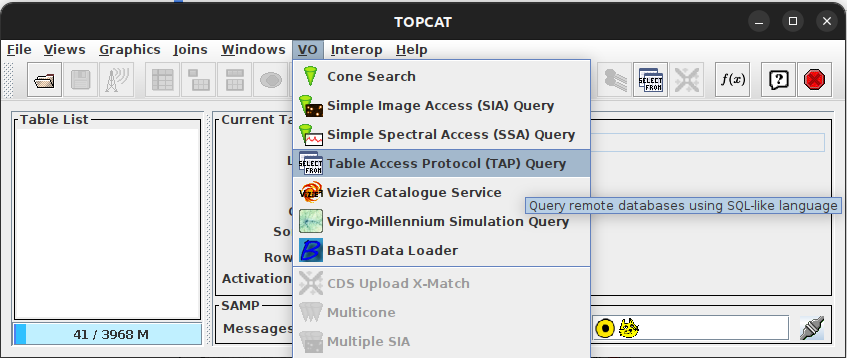
In order to access TAP, click on "VO" and "Table Access Protocol (TAP) Query" as seen in the figure:
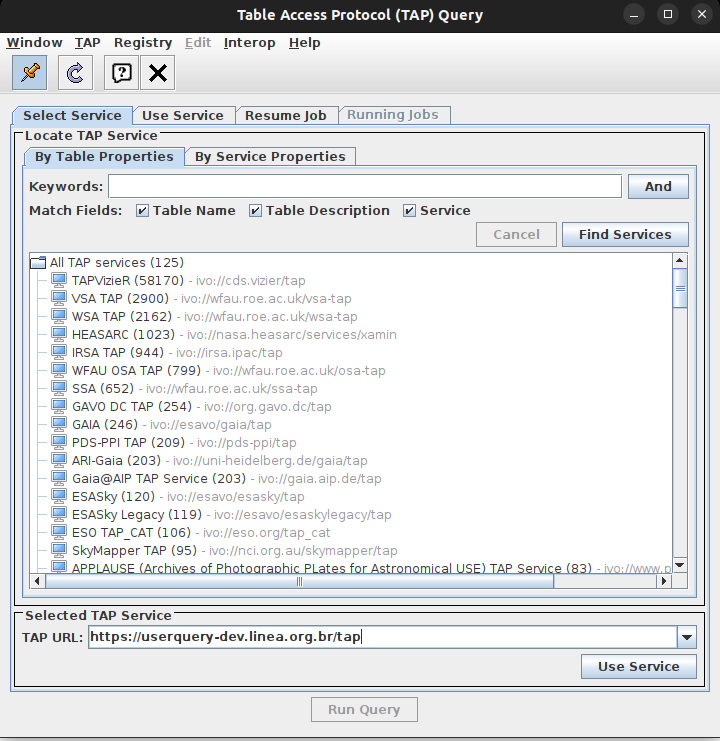
After this step, a new screen pops up, where you write LInea’s TAP address https://userquery.linea.org.br/tap:
Click on ‘Use service’, and the last screen is shown as below:
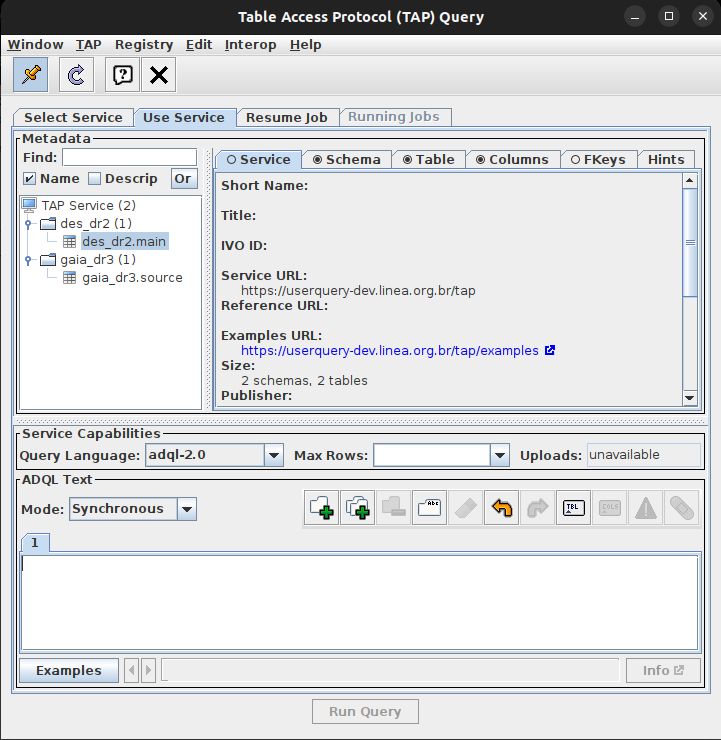
On the left tables are listed. More information about the tables (schema, tables, columns, fkeys and hints) are seen
on the right when clicking on them. Click on ‘Examples’ to access a bunch of queries, and finally start your query
clicking on ‘Run Query’.
Access from local machine using Python language and pyvo package
You can access data from LIneA using your local machine. With requests and pyvo package installed, run the following lines saved in a python file:
from pkg_resources import parse_version
import pyvo
import requests

# Setting up tap_service connection
service_name = "LIneA Tap Service"
url = "https://userquery.linea.org.br/tap"

print('TAP service %s \n' % (service_name,))

tap_session = requests.Session()
tap_service = pyvo.dal.TAPService(url, session=tap_session)

print(tap_service.available)  # Returns True or False

query = "SELECT ra, dec from des_dr2.main limit 10"
tap_result = tap_service.run_sync(query, language="ADQL")
tap_result.to_table().pprint(max_lines=10)
If you want to access data with authorization, follow the code below:
import requests
import pyvo

service_name = "LIneA Tap Service"
url = "https://userquery.linea.org.br/tap"
token = "Token <your-token>"

print('TAP service %s \n' % (service_name,))

tap_session = requests.Session()
tap_session.headers["Authorization"] = token

tap_service = pyvo.dal.TAPService(url, session=tap_session)

print(f"Is Available: [{tap_service.available}]")

query = "SELECT ra, dec from des_dr2.main limit 10"
tap_result = tap_service.run_sync(query, language="postgresql")
tap_result.to_table().pprint(max_lines=10)
These two examples run on synchronic mode.